> For the complete documentation index, see [llms.txt](https://docs.digitalriver.com/salesforce-lightning/llms.txt). Markdown versions of documentation pages are available by appending `.md` to page URLs; this page is available as [Markdown](https://docs.digitalriver.com/salesforce-lightning/user-guide-optional/regulatory-fees.md).
# Regulatory fees
Learn more about regulatory fees.
Regulatory fee creation and management are outside the scope of the Salesforce Lightning app. Work with your Digital River project manager on the management of regulatory fees.
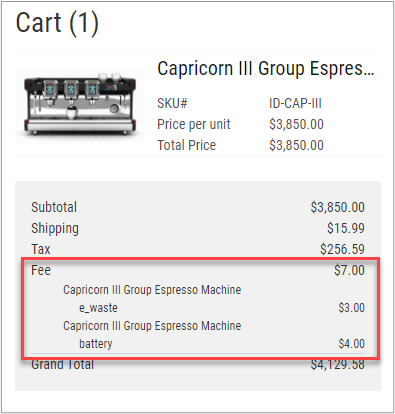
Once the fees are configured, the app will display any applicable fees to the shopper in the checkout flow.
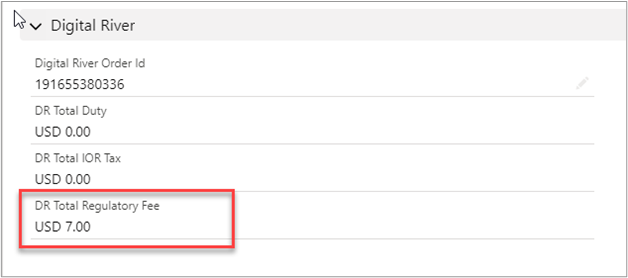
The total of the fees is added to the **Cart** and **Order** and stored in the **DR Total Regulatory Fee** field.
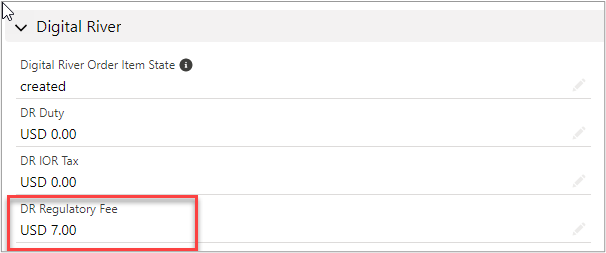
Additionally, any fees will be stored in the `CartItem` and `OrderItem` objects in the **DR Regulatory Fee**, which stores the sum of the regulatory fees for that line item.
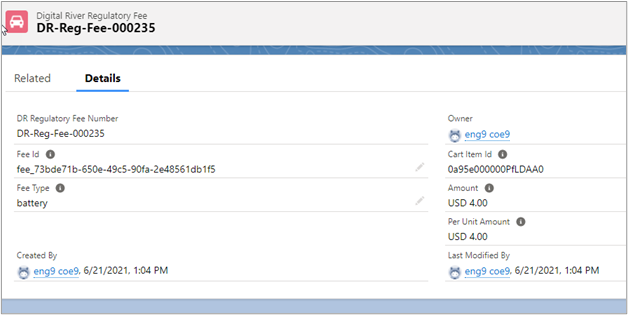
The breakdown of each fee is stored in the **Digital River Regulatory Fee** object, which is linked to the **Cart Item**.