> For the complete documentation index, see [llms.txt](https://docs.digitalriver.com/salesforce-lightning/llms.txt). Markdown versions of documentation pages are available by appending `.md` to page URLs; this page is available as [Markdown](https://docs.digitalriver.com/salesforce-lightning/salesforce-lightning-b2b-commerce-app-2.1/integrate-the-salesforce-lightning-app/step-17-integrate-the-digital-river-components-into-the-checkout-flow/integrate-the-digital-river-components-into-a-synchronous-checkout-flow/deploy-flows-using-salesforce-workbench.md).
# Deploy flows using Salesforce Workbench
Learn how to deploy flows using Salesforce Workbench.
Your Digital River project manager can provide you with a package containing prebuilt flows that can be deployed using Salesforce Workbench. If you choose the pre-integrated option, you are provided with a package that contains a synchronous checkout flow that is pre-integrated with the Digital River components plus dependent subflows. Alternatively, if you choose to integrate the Digital River components into your own flow, the package will contain only the dependent subflows.
Use the following steps to have Salesforce Workbench deploy the flows:
1. Open Workbench and sign in.
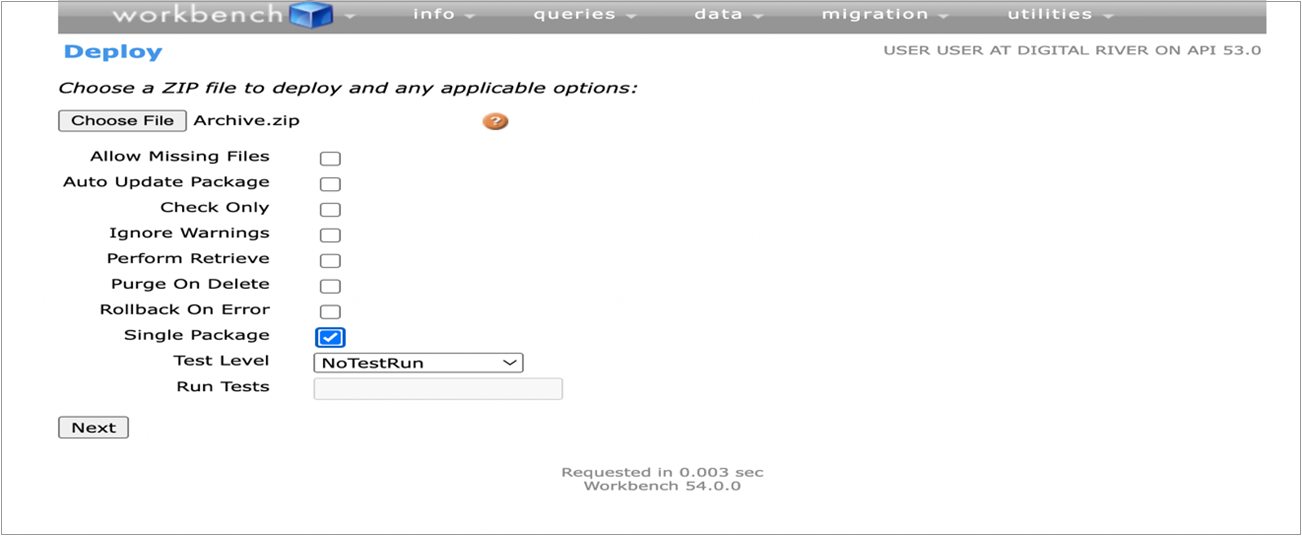
2. Navigate to Migration > Deploy from the Header menu.
3. Choose the Archive that has been provided by Digital River.
4. Select **Single package**.
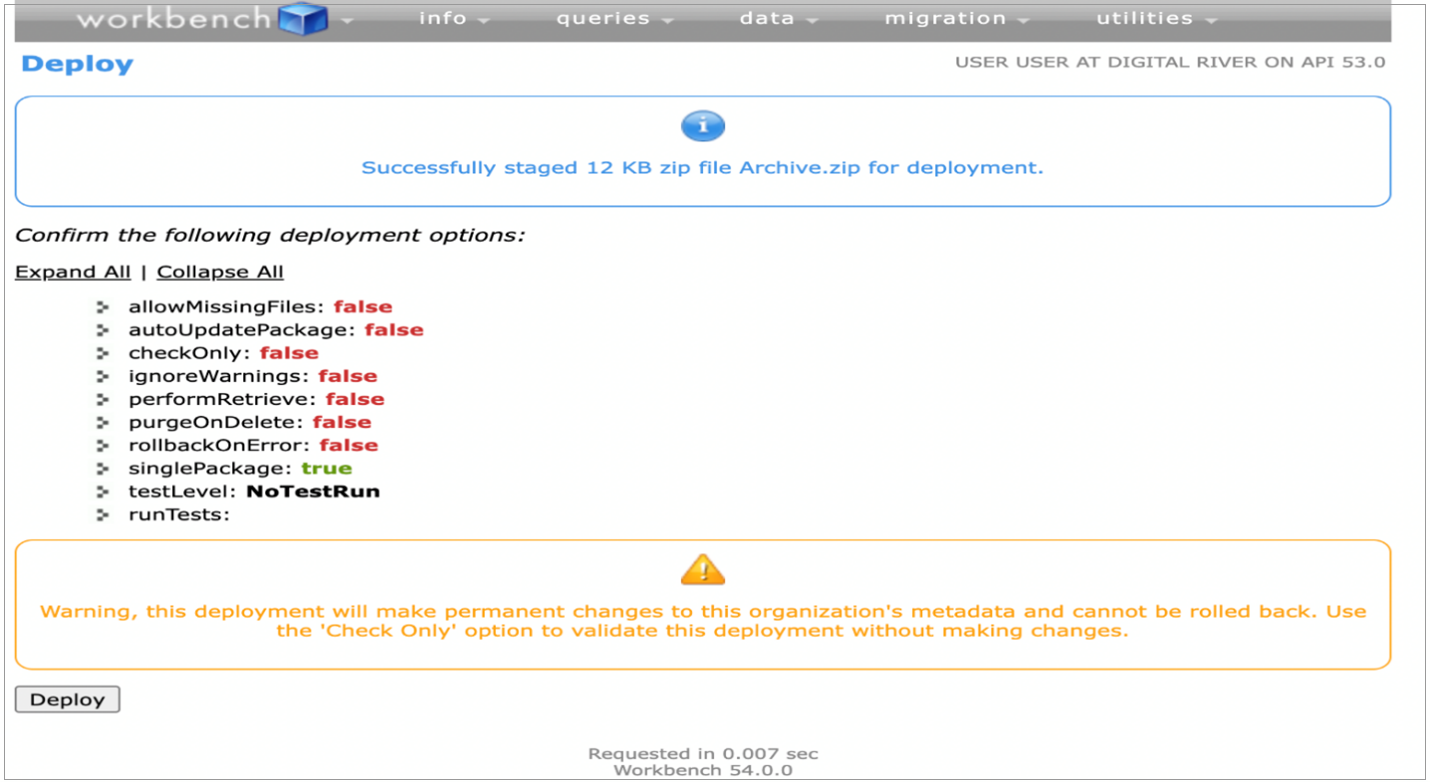
5. Click **Next.**
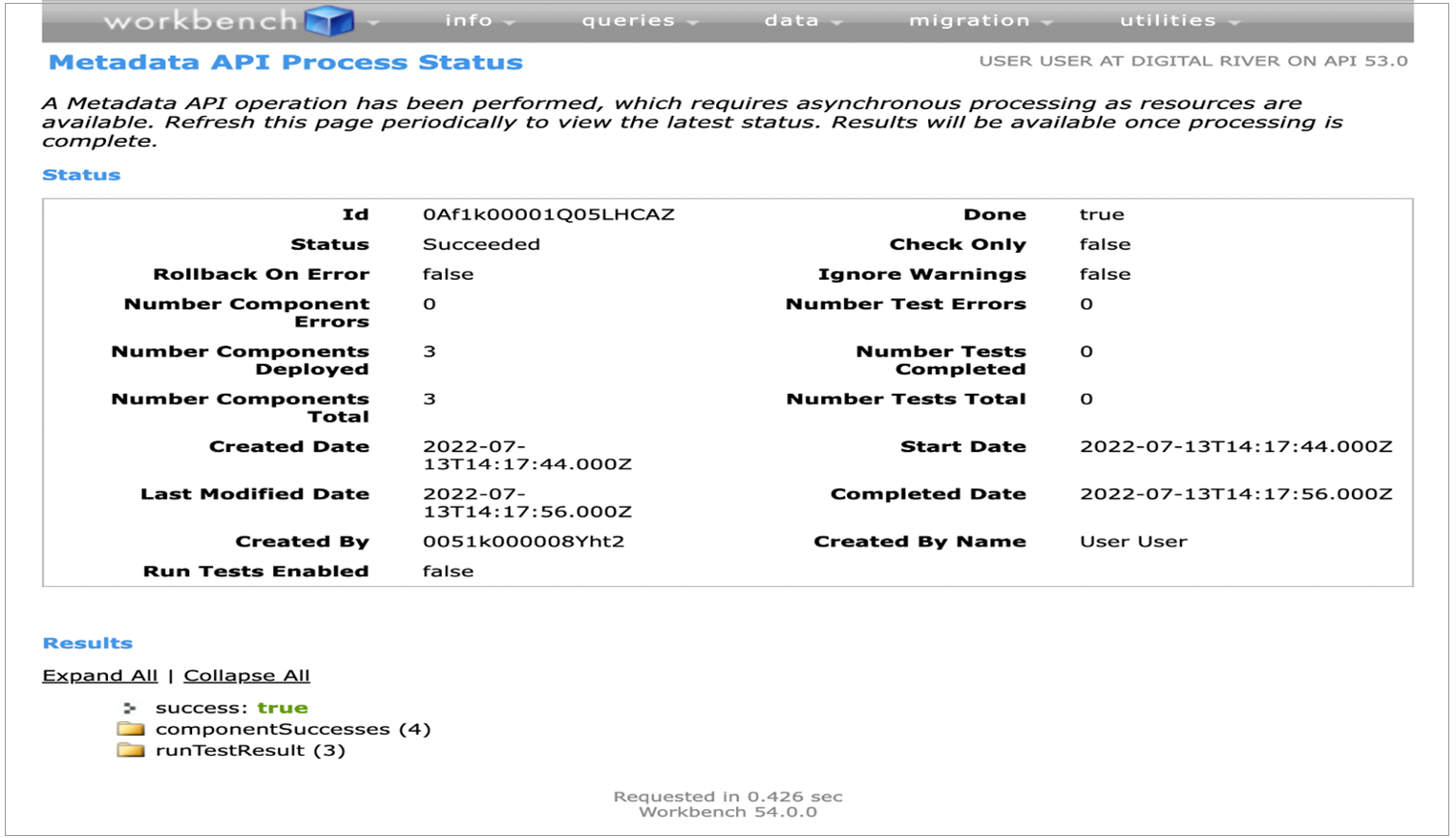
6. Click **Deploy**. The final screen looks like the following.
{% hint style="info" %}
**Note:** You can verify your deployment status by navigating to Setup>Environment>Deploy>Deployment status. Click on **View details** to see more information on your deployment status.
{% endhint %}
{% hint style="warning" %}
**Important:** If you are using the pre-integrated checkout flow provided by Digital River, you do NOT need to complete the remaining tasks in this step.
{% endhint %}