> For the complete documentation index, see [llms.txt](https://docs.digitalriver.com/salesforce-lightning/llms.txt). Markdown versions of documentation pages are available by appending `.md` to page URLs; this page is available as [Markdown](https://docs.digitalriver.com/salesforce-lightning/salesforce-lightning-b2b-commerce-app-2.0/integrate-the-salesforce-lightning-app/step-17-integrate-the-digital-river-components-into-the-checkout-flow/integrate-the-digital-river-components-into-a-synchronous-checkout-flow/configure-screens-for-a-customized-synchronous-flow/configure-the-checkout-summary-screen.md).
# Configure the Checkout Summary screen
Learn how to configure the Checkout Summary screen.
Use the following steps to configure the Checkout Summary screen:
1. Click **Checkout Summary Screen** in the Sync Checkout flow.
2. Remove all OOTB components from the screen except for the Delivery Method component (or as desired).
3. Add the drb2b\_drUtil component to the screen and the define name (drb2b\_drUtil or as desired).
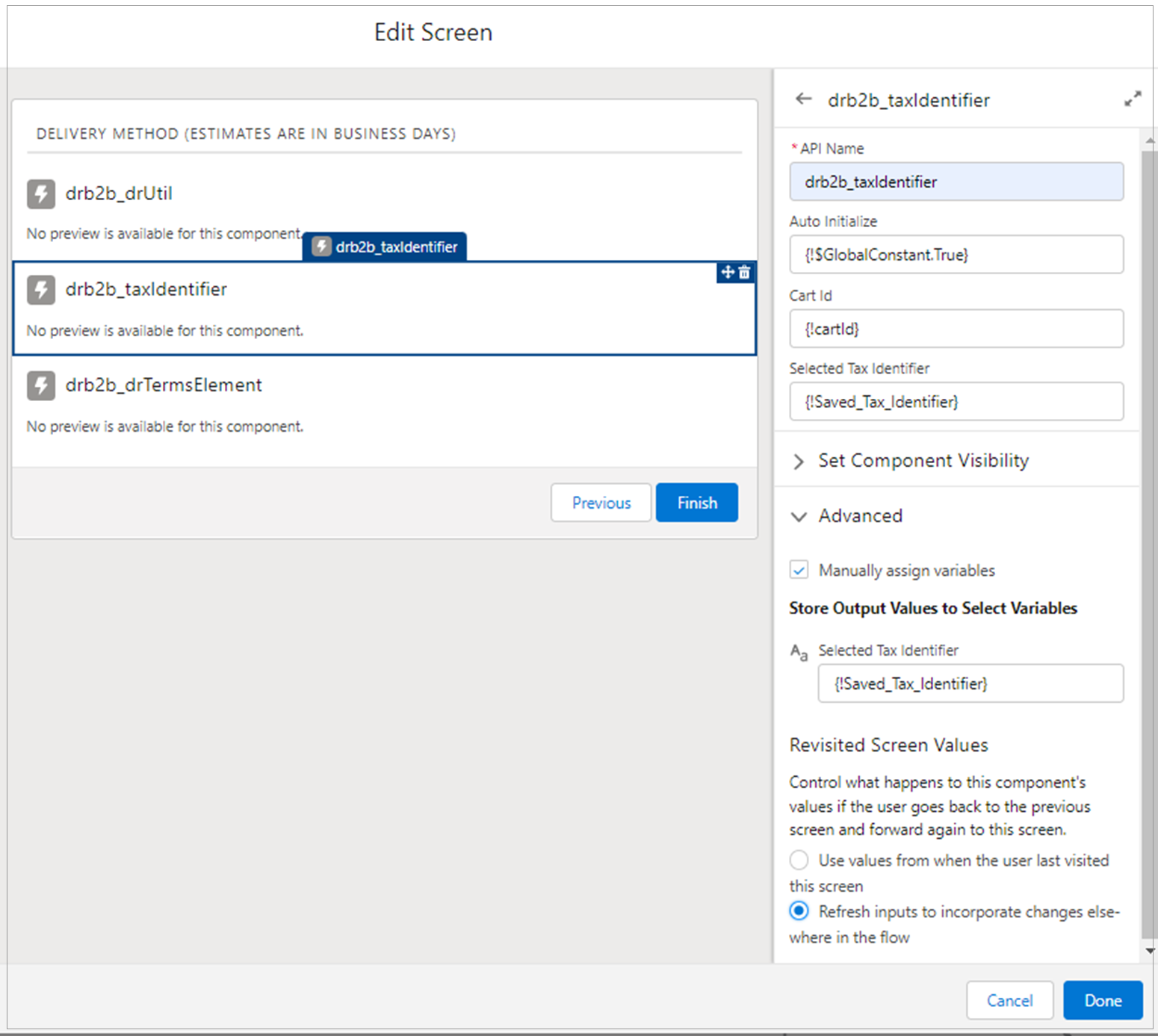
4. Add the drb2b\_taxIdentifier component to the screen and enter the following information. Be sure to click through all designer attributes to ensure that the default values are registered by Salesforce.
* API Name - drb2b\_taxIdentifier or any name
* Auto Initialize - {!$GlobalConstant.True}
* Cart Id - {!cartId}
* Selected Tax Identifier - {!Saved\_Tax\_Identifier}
* Selected Tax Identifier in the Advanced section - {!Saved\_Tax\_Identifier}
* Select **Refresh inputs to incorporate changes elsewhere in the flow** in the Advanced section.
5. Click **Done**.
6. Click **Save**.